
iPhone & iPad
Flashroom
Retro photo booth
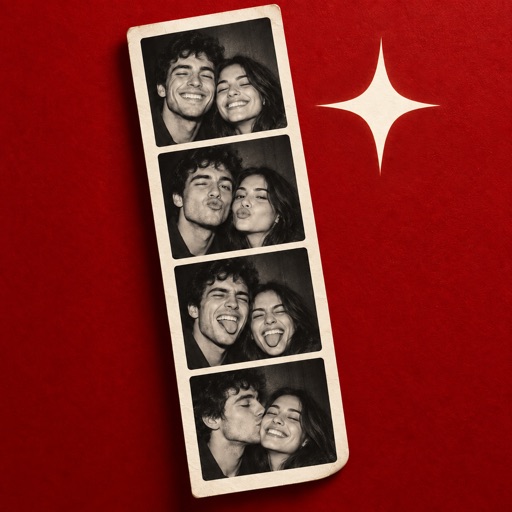
Eight retro photo booths, four-shot sessions and prints worth keeping.
- Published version
- 1.0.3
- Latest release
- 2 October 2026
- Device requirements
- iPhone or iPad with iOS or iPadOS 17.0 or later.
What you can do
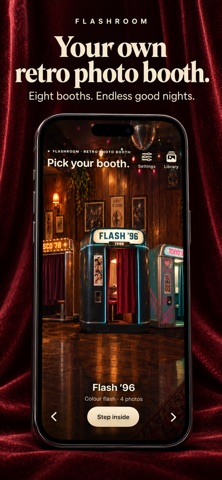
Eight booths, eight moods
Every booth and filter is free, with four photos per session.
Print it your way
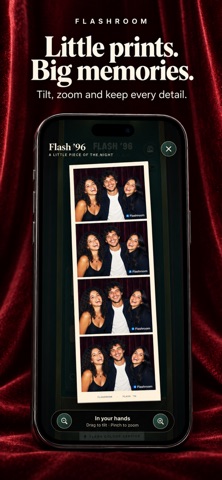
Choose a vertical strip or a 2×2 contact sheet, then export for sharing.
Keep your memories
Reopen sessions from your private album. An optional subscription removes the export signature; photos are processed on your device.
Inside the app
Screenshots from the current English-language App Store listing.
Getting started
- Choose one of the eight retro photo booths.
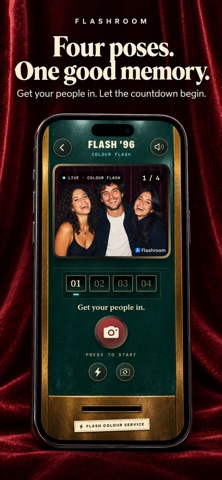
- Take four poses to create a photo strip.
- Save the strip or share it. Photos are processed on your device.
Questions and answers
Where are my photos processed?
Flashroom creates photo strips on your device. You can save or share the result through the app.
Is it free to download?
The app is free to download. Some features may require an in-app purchase or a subscription. Check the current product listing for features and prices in your country.
Full compatibility, privacy information and current prices are available on the product listing.
Open the official download page ↗